Free resume builder that doesn’t feel like a form
Choose a template and edit directly on your resume.
Free to start
No credit card required
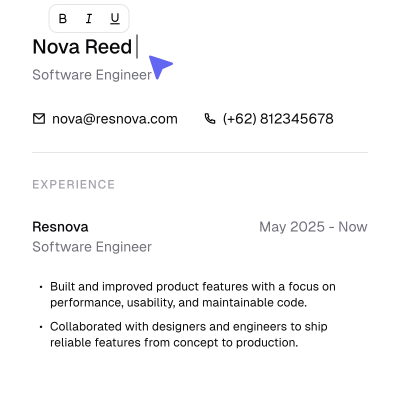
Building a resume shouldn’t feel like filling out a form
Stay in your flow
Write and edit where your content actually appears.
Skip the endless fields
No jumping through inputs just to make a simple change.
No edit-preview loop
What you edit is what you see and what you’ll export.
One resume doesn’t fit every job
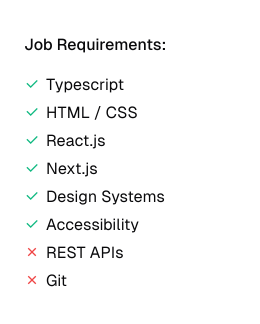
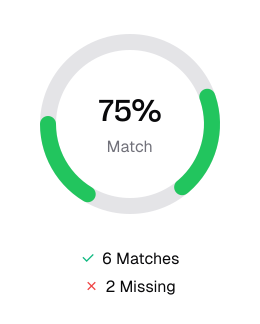
Paste the job description and see where your resume matches, what’s missing and what might be worth improving
Input job description
Match with your resume
See what to improve
Keep track of every application
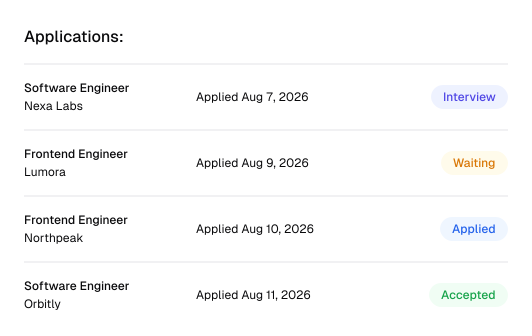
Save the jobs you apply to and see where each application stands, all in one place
You found a role
Waiting to hear back
Interview
Accepted the offer
More ways to make it yours


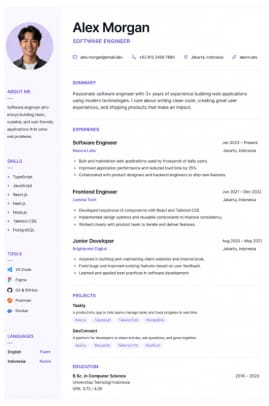
A growing collection of thoughtfully designed resume templates is coming to Resnova.
Pro
$10
/ months
Unlimited resumes
Unlimited job match
Unlimited tracking
PDF export
Free
$0
1 resumes
Limited job match
Unlimited tracking
PDF export
Upgrade when you need more.
Unlimited resumes, deeper job matching, and more features are coming to Pro
“I like the experience. I can just click on my resume and start editing. No jumping between forms and previews, it feels much more natural”
Bryan Aulia
Software Engineer
Frequently asked questions
Yes. You can build, edit, and export your resume for free. Pro is available if you need more resumes, deeper job matching, and additional features.
No. You can start building without an account. Create one when you want to save your resume and keep your progress.
Resnova lets you edit directly on your resume instead of filling out a long form and switching back and forth between editing and previewing.
Paste a job description and Resnova compares it with your resume to show what matches, what’s missing, and what may be worth improving.
Yes. You can export your finished resume as a PDF when you’re ready to apply.
Yes. You can keep the jobs you’ve applied to organized and follow each application as it moves forward.